 Workroom
Local
Workroom
Local
Workroom
Local
Workroom
Local
A computer-use agent that runs entirely on your Mac. One model reads the screen, runs commands and edits files — with no account, no API key, and nothing leaving the machine.
The app is the friendly front door, not the whole thing — the model and tools run in a Python runtime you keep on disk. Two commands, once.
# 1. uv, if you don't have it
$ curl -LsSf https://astral.sh/uv/install.sh | sh

# 2. the runtime
$ git clone https://github.com/IAMIbrahimmemon/mlx-llm-workroom
$ cd mlx-llm-workroom && uv sync
Then open the app — it finds that folder in the usual places, and asks you to point at it if you put it somewhere unusual. You can also skip the app entirely and run uv run workroom.
This is a free open-source project and Apple charges for a developer account, so macOS will refuse to open it on the first attempt.
After that it launches normally. If macOS still blocks it, go to System Settings → Privacy & Security and click Open Anyway. Every release lists a SHA-256 so you can check what you downloaded.
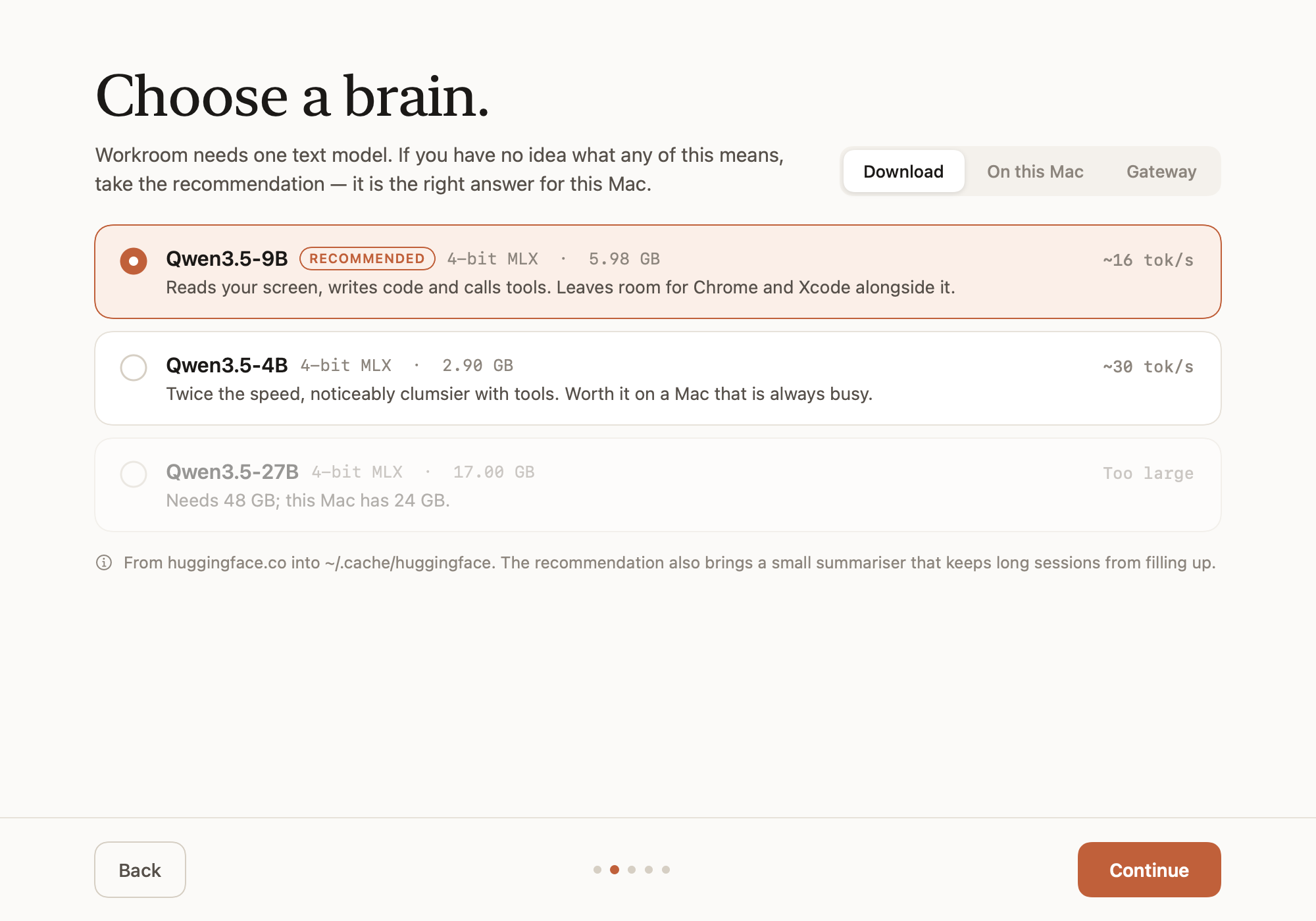
Onboarding looks at the machine before it offers you anything: models in your Hugging Face cache, models you have pulled with Ollama, and any OpenAI-compatible gateway already listening on localhost.
On Apple silicon the model's weights and your browser tabs draw on the same memory. Workroom asks once where the ceiling goes, and tells you which answer needs an admin password.
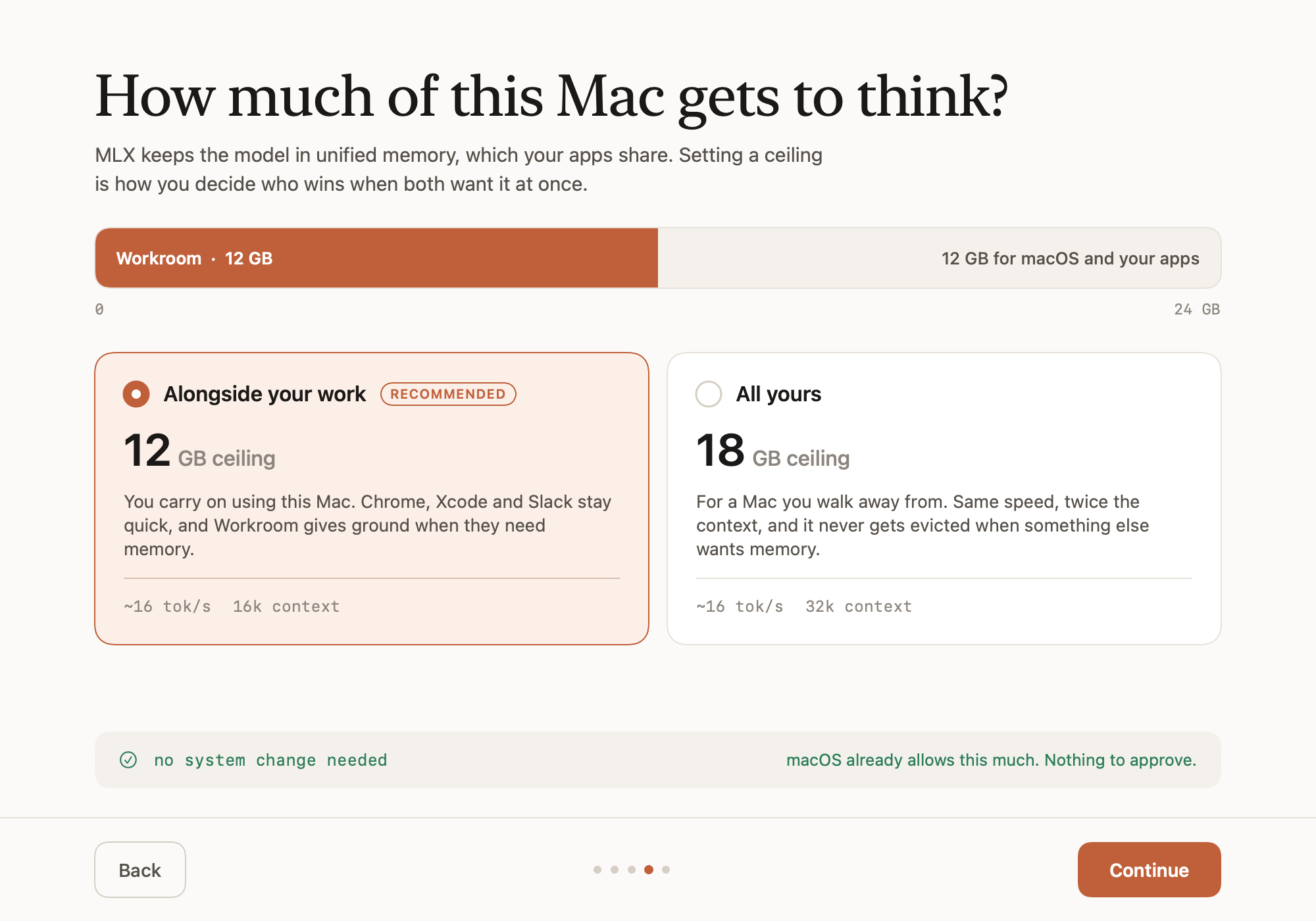
| Preset | On a 24 GB Mac | Password | For |
|---|---|---|---|
| Alongside your work | 12 GB · 16k ctx | no | you keep using the Mac |
| All yours | 18 GB · 32k ctx | once per boot | you walk away and let it run |
Both run at the same speed. Decode is bound by memory bandwidth, not capacity, so a higher ceiling buys context — not tokens per second.
Base M3, 24 GB, 12 GB ceiling. Every number in this project comes from a machine, not an estimate.
| Prompt | Tokens / sec | Peak memory |
|---|---|---|
| 1 000 | 16.3 | 6.54 GB |
| 8 000 | 16.8 | 7.70 GB |
| 16 000 | 15.7 | 8.48 GB |
Screenshots, keystrokes and file contents are handled in memory on your Mac. There is no server to trust.
Qwen3.5-9B reads your screen and writes your code from a single 5.98 GB set of 4-bit MLX weights.
sudo, recursive deletes and force pushes stop and ask. Disk formatting and keychain dumps never run at all.